Building Saver Insights
Oct 21, 2026 · 8 min read · Features

This is not a blog about Saver Insights
Saver Insights is now in Up, giving you a new way to see how your Saver balances have changed over time, alongside the activity behind those changes.
This blog isn’t really about using Saver Insights, though. It’s about how we turned particles into a graph.
To explain why, we need to go back to the early days of Up and something we call Saver Pools.
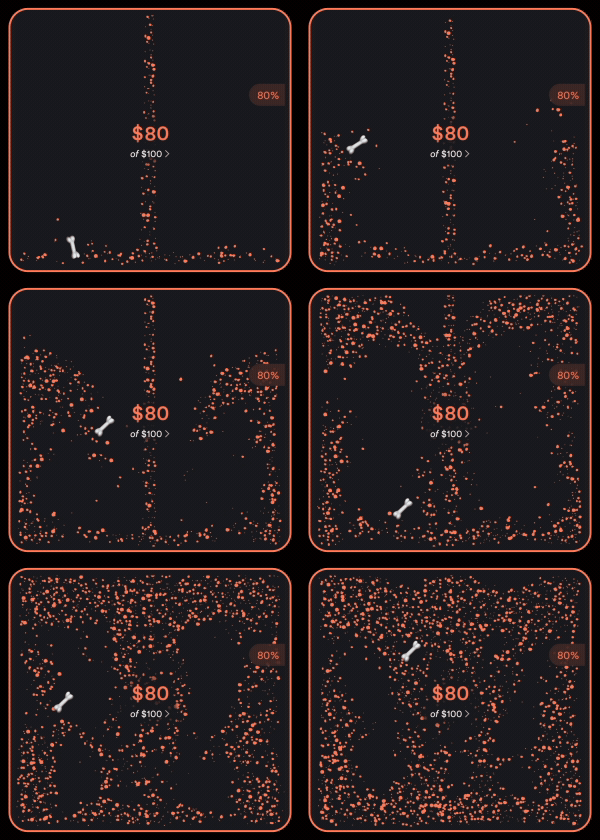
When we first built Savers, we didn’t want your savings to just be a number on a screen, so we turned them into something you could actually see and play with.
Open a Saver and you’ll see your money sitting there as a pool of particles. Add to it and the pool grows. Move your phone and it moves with you. The more you save, the more there is to see, feel and play with.
It gave something pretty abstract (like money sitting in a bank account) a physical presence in Up.
Saver Insights presented us with a new challenge: how do we take that same feeling and use it to show you what your money has been doing over time?
The answer, apparently, involved a lot of physics.
It gets pretty nerdy from here, so if terms like “Poisson disk sampling” make you want to close this tab, now’s your chance.

From pools to progress
More than 2 million Up Savers have been created in the last 8 years, for everything from house deposits to holidays. But what’s happening inside each one can mean something completely different.
A Saver heading south could mean you’ve been raiding the house deposit. Or it could mean you’re in Japan, spending the money you saved for Japan. Only you know what that money was there to do.
Saver Insights gives you a clearer view of what’s been happening. But we wanted to do that without losing what makes Savers feel like Savers.
Those particles aren’t just decoration. They have weight. They move. They react to you. As your savings grow, the pool grows with them.
So rather than leave the pool behind, we wanted to see how far we could push it. Could the particles themselves become the data?
Turns out, yes. It was just a little complicated.
Making money move
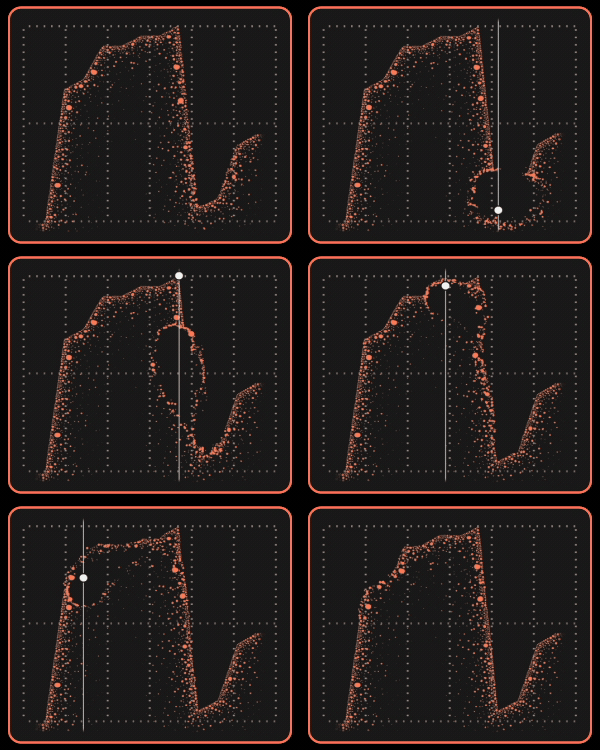
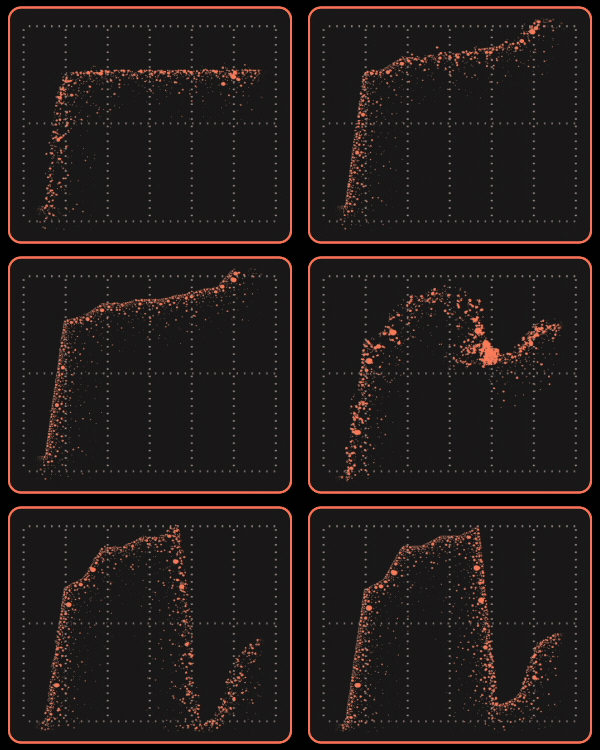
Turning a Saver Pool into a graph sounds simple enough. We already had the particles, so surely we just needed to move them into the shape of a graph.
Not as simple as it sounds.
There are two problems to solve: getting thousands of particles to move exactly where we want them, then packing them together tightly enough to make a graph you can actually read, without melting your phone in the process. Neither particularly chill.
Up’s particles run on Box2D + LiquidFun, a physics engine built to simulate lots of particles moving together. It’s what gives Saver Pools their liquid movement and lets your savings slosh around when you move your phone.
The problem is, the physics engine wants to move those particles as a group. For Saver Insights, we need to tell every single one where to go.
LiquidFun keeps track of each particle’s position and velocity in chunks of memory called buffers. By getting into those buffers, we can give every particle its own destination.
Getting them there is where the physics comes in. Moving a particle straight from A to B fights the simulation and looks pretty ordinary. So instead, we connect each particle to its destination with an invisible spring. Each frame, something called Hooke’s law works out how hard that spring should pull. We update the particle’s velocity, then let the physics engine take care of the rest.
That keeps the same liquid feel as Saver Pools. The particles simply move into a new shape.
You don’t need to know what Hooke’s law is, by the way. The important bit is: spring pulls particle, particle moves.
And there isn’t a regular graph hiding underneath all this. The particles are the graph.
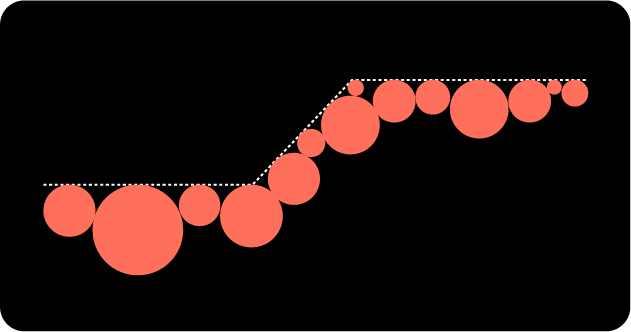
Fig.(a) Step 1 — Generate Edge
We densely pack the underside of the polyline with particles, this ensures the resulting graph is legible.
Packing thousands of dots
Problem two: finding somewhere for all of them to go.
We start with an invisible line representing your Saver balance, then fill the space underneath it with particles.
Our first approach was basically guess and check. Pick a spot, see if a particle fits, repeat. It worked, but the spacing was uneven and unpredictable.
The better solution was a modified Poisson disk sampling algorithm. Instead of searching everywhere for an empty spot, we restrict the search to areas around particles already in place, then pack new ones neatly around them.
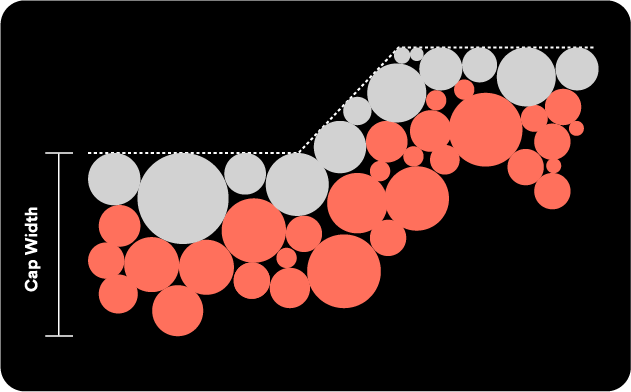
Fig.(b) Step 2 — Generate Cap
Taking the edge particle as a starting point, we continue to densely pack particles under the polyline until the Cap Width is met.
That gave us the graph we wanted. Then we needed to make it fast.
With a thousand particles, checking every new one against every existing one can mean roughly a million checks. By grouping particles based on where they sit, using something called a spatial partition, each one only needs to check what’s nearby.
In computer science terms, that takes us from an algorithmic complexity of O(n²) to O(n).
In regular human terms, roughly a million checks becomes a thousand.
Add a few more tricks around density and edge packing and there it is: thousands of particles moving through a physics simulation to form your savings graph.
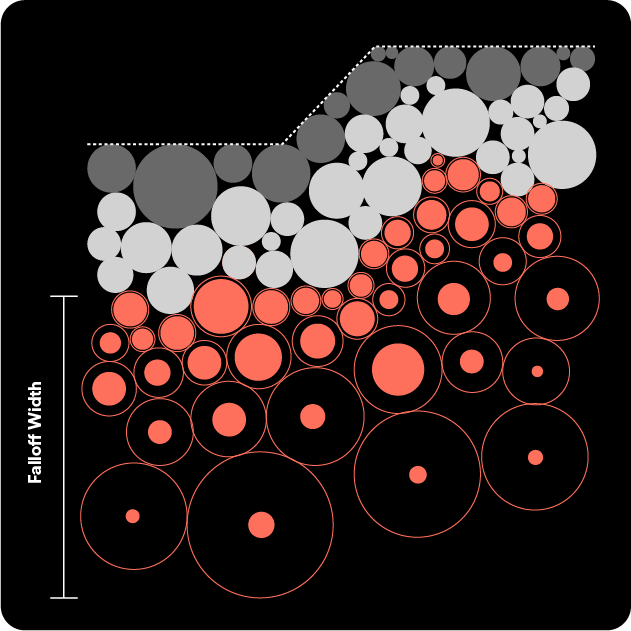
Fig.(c) Step 3 — Generate Falloff
From the bottom of the Cap until the Falloff Width is met, we sparsely pack particles under the polyline.
Keeping your savings alive
Most people using Saver Insights won’t know any of this is happening. And they don’t need to.
They’ll scrub through the graph, play with the particles and get a better read on what their money’s been doing. But underneath it, the same idea that shaped Saver Pools is still doing its thing.
Your savings shouldn’t suddenly become a static line just because you want to understand them over time. The weight, movement and playfulness of Savers is part of how they work in Up. Saver Insights carries that feeling forward.
A Saver Pool shows you what your savings feel like today. Now those same particles can show you how you got there.
A graph is a graph.
We just like ours to feel like Up.
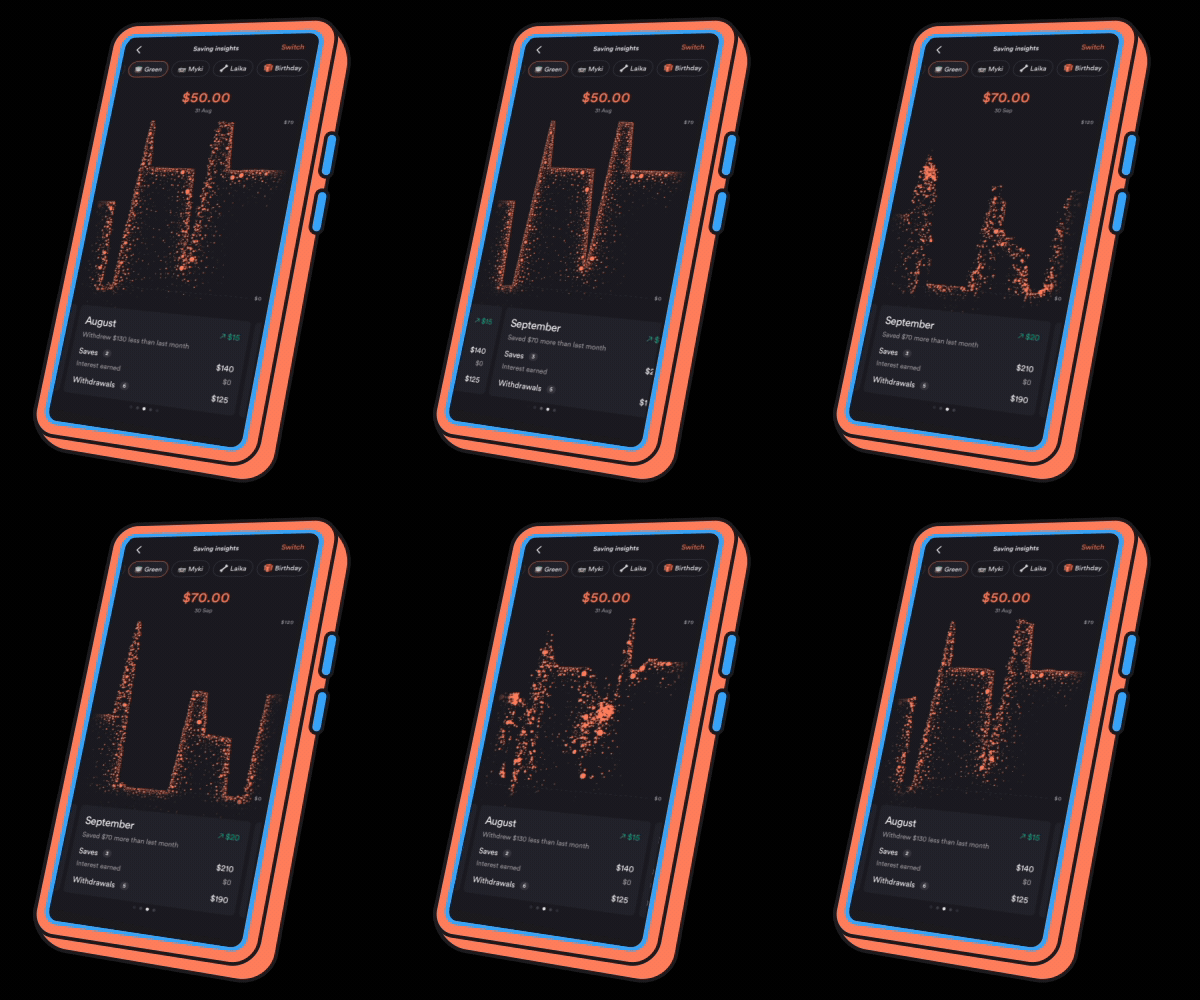
Psst...
We hid an Easter egg in Saver Insights.
Keep an eye on our next release notes for a clue on how to find it.
Happy hunting.

Get the gist
We’ll swing our monthly newsletter and release notes your way.

Essentials
Sort your bills before they hit. Essentials is now free for everyone on Up, helping you put money aside automatically and make bills background noise.
Up
Essentials: Coming Soon
Essentials is coming to all Upsiders. Built to help make bills background noise, so you can spend less time thinking about them.
Up